POS Terminal
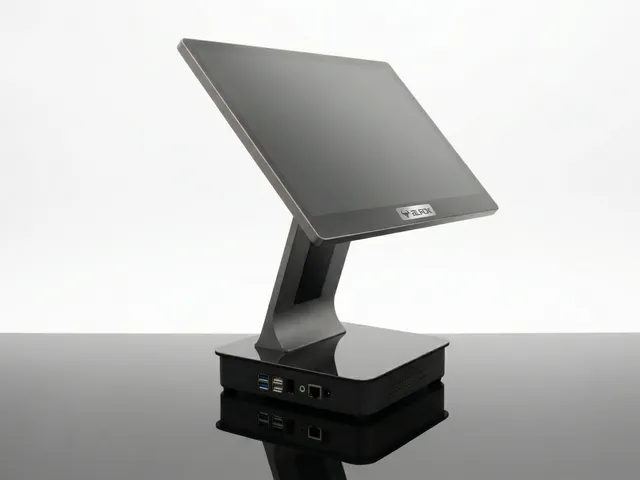
AUROK XPS2, Android POS Terminal
15.6 inch Android 11 desktop POS terminal - 4GB RAM, 32GB storage, black finish for countertop lanes.
View Details
Overview
AUROK pos terminals suit fixed retail and hospitality counters that need a larger staff-facing display. The range includes XPS 2 (Android 11, 4GB/32GB) and XPS 5 (Windows 11 all-in-one with Intel i5 8th Gen, 8GB RAM, 128GB SSD).
Benefits
Select Android for mobile-first app stacks or Windows for familiar desktop POS software.
Large desktop screens for order entry, loyalty, and back-office tasks at the counter.
RAM, storage, and CPU generation published so IT can plan images and procurement early.
Countertop chassis designed for permanent installations rather than handheld routes.
Products
Review specifications and support assets for each model. Request a quotation when you are ready to evaluate volumes or accessory kits.
15.6 inch Android 11 desktop POS terminal - 4GB RAM, 32GB storage, black finish for countertop lanes.
View Details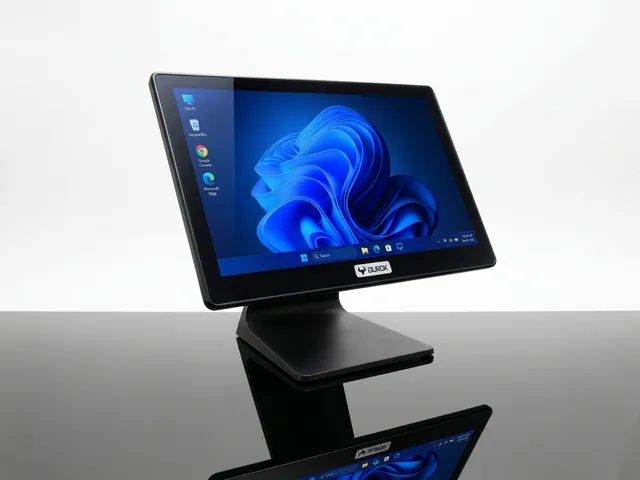
15.6 inch Windows 11 all-in-one pos terminal - Intel i5 8th Gen, 8GB RAM, 128GB SSD, black finish.
View DetailsFAQs
Answers for IT, operations, and procurement evaluating this category.
AUROK XPS2 (Android 11) and XPS 5 (Windows 11 all-in-one with Intel i5 8th Gen).
Current XPS listings do not include an integrated printer. Pair with AUROK receipt printers or choose kiosk models with built-in printers.
Choose XPS 2 for Android POS apps; choose XPS 5 when you need Windows 11 with higher RAM and SSD storage.
Placeholder pages ship now; detailed I/O, touch options, and manuals will be updated as production datasheets arrive.
Share OS preference, display needs, and site count. We will help refine the model list and return a quotation.