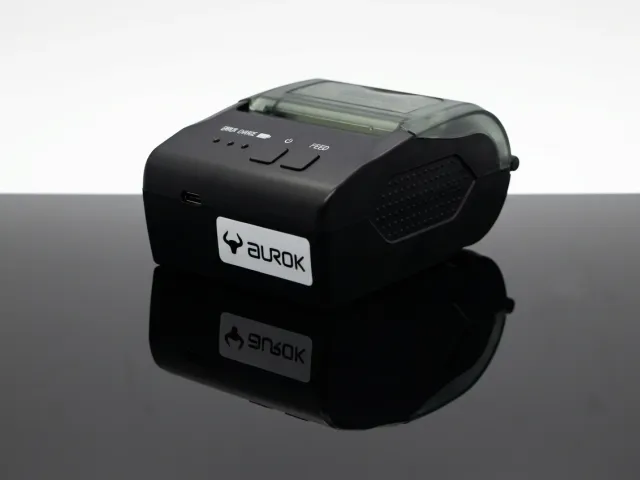
Portable POS Printer
AUROK RP1800, 58mm Portable Thermal Receipt POS Printer
Lightweight 58mm portable thermal printer with USB and Bluetooth - built for delivery and mobile business.
View Details
Overview
AUROK portable POS printers are built for delivery routes, field sales, and mobile retail where a fixed counter is not available. The range starts with the RP1800 - a lightweight 58mm thermal printer with USB and Bluetooth for phones, tablets, and portable POS hosts.
Benefits
Compact bodies designed for bags, belts, and vehicle mounts without sacrificing everyday print quality.
USB and Bluetooth options so teams can pair with phones, tablets, or portable POS terminals.
58mm thermal rolls sized for delivery receipts and field invoices.
Portable models remain listed under POS Printer as well, so dealers can find them in either browse path.
Products
Review specifications and support assets for each model. Request a quotation when you are ready to evaluate volumes or accessory kits.
FAQs
Answers for IT, operations, and procurement evaluating this category.
AUROK RP1800 is the current portable 58mm thermal printer. Open the product page for connectivity, paper width, and quotation support.
Yes. Portable models appear in both Portable POS Printer and POS Printer so teams can discover them from either category.
Choose portable for delivery, van sales, and field checkout. For fixed counters, review desktop POS printers such as the RP3200 or RP3900.
Bluetooth-compatible Android and iOS apps, plus Windows hosts via USB or Bluetooth depending on the deployment. Include your OS in the quotation request.
Share route volume, host devices, and connectivity preferences. We will refine the model list and return a quotation with documentation references.